
Overview
JFrog Distribution supports distributing your Release Bundles to remote Artifactory Edge nodes within an Air Gap environment. This use case is mainly intended fororganizations such as financial institutions and military installations that have two or more Artifactory instances that have no network connection between them.
To distribute the Release Bundles in an Air Gap environment, you need to export the Release Bundle on the Source Artifactory either directly from the WebUI or using REST API. You then manually need to copy the the exported Release Bundle saved as a zip file to an external device (such as a hard drive or USB flash drive), and then import it on the Artifactory Edge node.
You can
- Distribution Rest API: a set of new Import and Export of Signed Release Bundles commands
- Dedicated Air Gap Distribution Feature Page
- Update Distribution Main Page
DOC-445-Getting issue details...STATUS
Available JFrog subscription levels:
Self-Hosted (On-Prem) / Cloud (SaaS)

出口a Release Bundle Version
You export the Release Bundle version from Distribution as a downloadable.zipfile to your local computer.
出口Release Bundle Rules and Guidelines
- Only a signed Release Bundles labeled with the Ready status can be exported.
- Only one instance of the version can be exported as the Release Bundles is immutable.
- 出口Release Bundles requires theDistribute Bundle Permission.
To export a Release Bundle version from the Source Artifactory instance:
- From the Application module, navigate to theApplicationmodule |Distribution|Distributable.
- Create a Release Bundle.
- Navigate to the Release Bundle version you wish to export, and selectExport Versionfrom theVersion Actionslist.

Note that this process may take a few minutes.
The exported Release Bundle zip file is saved in the Artifact Manager in therelease-bundlesfolder under the relevant Release Bundle Name. From theVersion Actionslist, select下载版本.

The.zip Deleting an Exported Version
When you selectExport Version,Delete Exported Fileaction is added to theVersion Actionslist.
- Copy the download .zip fileto an external device (such as a hard drive or USB flash drive).


进口ing the Release Bundle Version in the Artifactory Edge
- Access the Artifactory Edge Node.
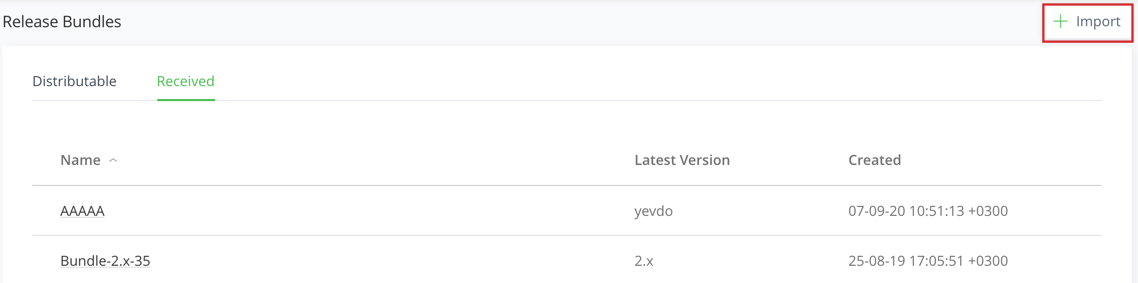
- From Distribute Release Bundle in the Application module, Click进口.
- From the Actions list, select Export Bundle.
Add a note: This process might take a few minutes, a
You import to Artifactory and not to distribution on the target station
Questions:
Does the Bundle need to be signed before it can be exported?
Ex
The export process is done asynchronously
出口the Release Bundles using the REST API
Here are two ways you could export the Release Bundles
What happens if Xray fails the Build?
