

SCAN A DOCKER IMAGE.3 STEPS. 3 MIN.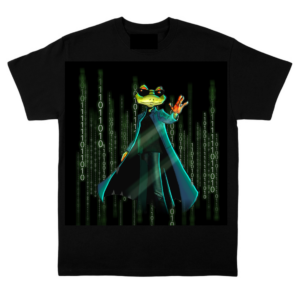
GET ALIMITED EDITIONJFROG NEO T-SHIRT
Easily see vulnerabilities in your scan results of your Docker images and other local files!
Start Here:
Already have aJFrogenvironment?
1.Install JFrog CLI://www.si-fil.com/getcli/
2.Connect JFrog CLI to your JFrog environment by running the following command:
jf c addSubmit Your Result Below.
MacOSandLinuxUsers
1.Set up the JFrog CLI by running this command:
curl -fL "https://getcli.jfrog.io?setup" | sh2.Connect to a JFrog free cloud environment by signing up.
3.Run the following command to scan any Docker image on your local machine.
jf docker scan : *NOT ONLY DOCKER IMAGES:Run on other package types (Maven (Version 3.1.0 or above), Gradle, npm, pip, pipenv, Go, NuGet, .net) to see Xray scan results with this command: jf scan path/to/file
Submit Your Result Below.
WindowsUsers
1.Set up the JFrog CLI by running this command:
powershell "Start-Process -Wait -Verb RunAs powershell '-NoProfile iwr https://releases.jfrog.io/artifactory/jfrog-cli/v2-jf/[RELEASE]/jfrog-cli-windows-amd64/jf.exe -OutFile $env:SYSTEMROOT\system32\jf.exe'" ; jf setup2.Connect to a JFrog free cloud environment by signing up.
3.Run the following command to scan any Docker image on your local machine.
jf docker scan : *NOT ONLY DOCKER IMAGES:Run on other package types (Maven (Version 3.1.0 or above), Gradle, npm, pip, pipenv, Go, NuGet, .net) to see Xray scan results with this command: jf scan path/to/file
Submit Your Result Below.
Done!
See if there are any vulnerabilities in your Docker image or an open source dependency right in your CLI.

